
Trend Cycle Trigger for Tradingview
$299.00
Know whether the market is trending, cycling, or just noise before you trade. Trend Cycle Trigger reads the market’s state on every bar, then gives you the entry that fits it, and stays quiet when there’s nothing worth trading.
- Pullback entries in trends
- Reversal entries in cycles
- No signals in random, choppy markets
- Entry arrows with a suggested stop loss and take profit
- One-time payment, lifetime access.
Is the market trending, cycling, or just noise?
Trend Cycle Trigger works out the market’s state first. Then it gives you the entry that fits that state:
- Trending: pullback entries.
- Cycling: reversal entries.
- Random noise: no signals at all.
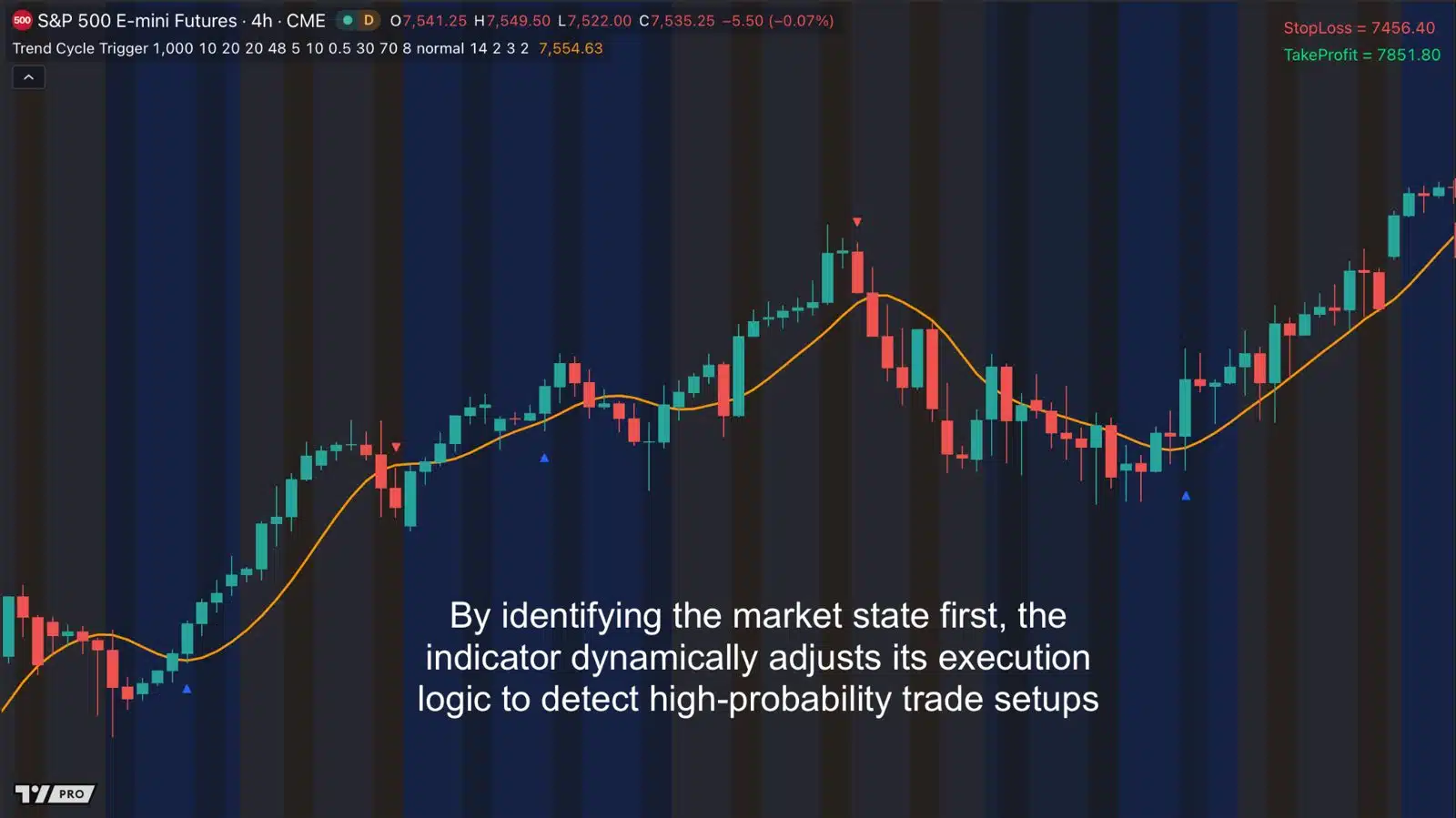
S&P 500 E-mini futures, 4-hour chart. Arrows mark entries; the stop loss and take profit for the latest signal show at the top right.
The right strategy in the wrong market is a losing strategy
You’ve probably lived both sides of this:
The pullback. You buy a pullback in what looks like an uptrend. But the market was really chopping sideways, and price keeps sliding.
The short. You short because RSI says “overbought.” But the market is in a strong trend, and it keeps climbing for days.
Your setup wasn’t wrong. It was used in the wrong kind of market.
Trend strategies work in trends. Reversal strategies work when the market swings back and forth. And in random, choppy markets, almost nothing works.
- Buy the pullback: works in a trending market. In a cycling market, price keeps sliding. In a random market, you get chopped up.
- Sell when RSI says overbought: works in a cycling market. In a trending market, price keeps climbing. In a random market, you get chopped up.
- Follow a moving average: works in a trending market. In cycling and random markets, you get whipsawed.
The problem: most indicators never tell you which kind of market you’re in.
Classic indicators assume the market never changes
- Moving averages assume there’s always a trend. In a range, they whipsaw you.
- RSI assumes the market always swings back and forth. In a trend, it tells you to get out too early, again and again.
- Neither one warns you when the market is just noise.
So you end up guessing. And guessing the market type is where a lot of losing streaks start.
Introducing Trend Cycle Trigger for TradingView
The indicator that works out what kind of market you’re in, then uses the right entry for it.
Trending: buy the dip, sell the rally
The market has direction. Trend Cycle Trigger waits for price to pull back to its smooth price line and print a reversal candle.
Cycling: catch the turns
The market swings in a rhythm. Trend Cycle Trigger switches to an Adaptive RSI tuned to that rhythm, to catch overbought and oversold turns.
Random: stay out of the chop
There’s no real pattern. Trend Cycle Trigger holds back signals, so you’re not trading noise.
How it works: three steps, on every bar
Step 1: Clean up the price
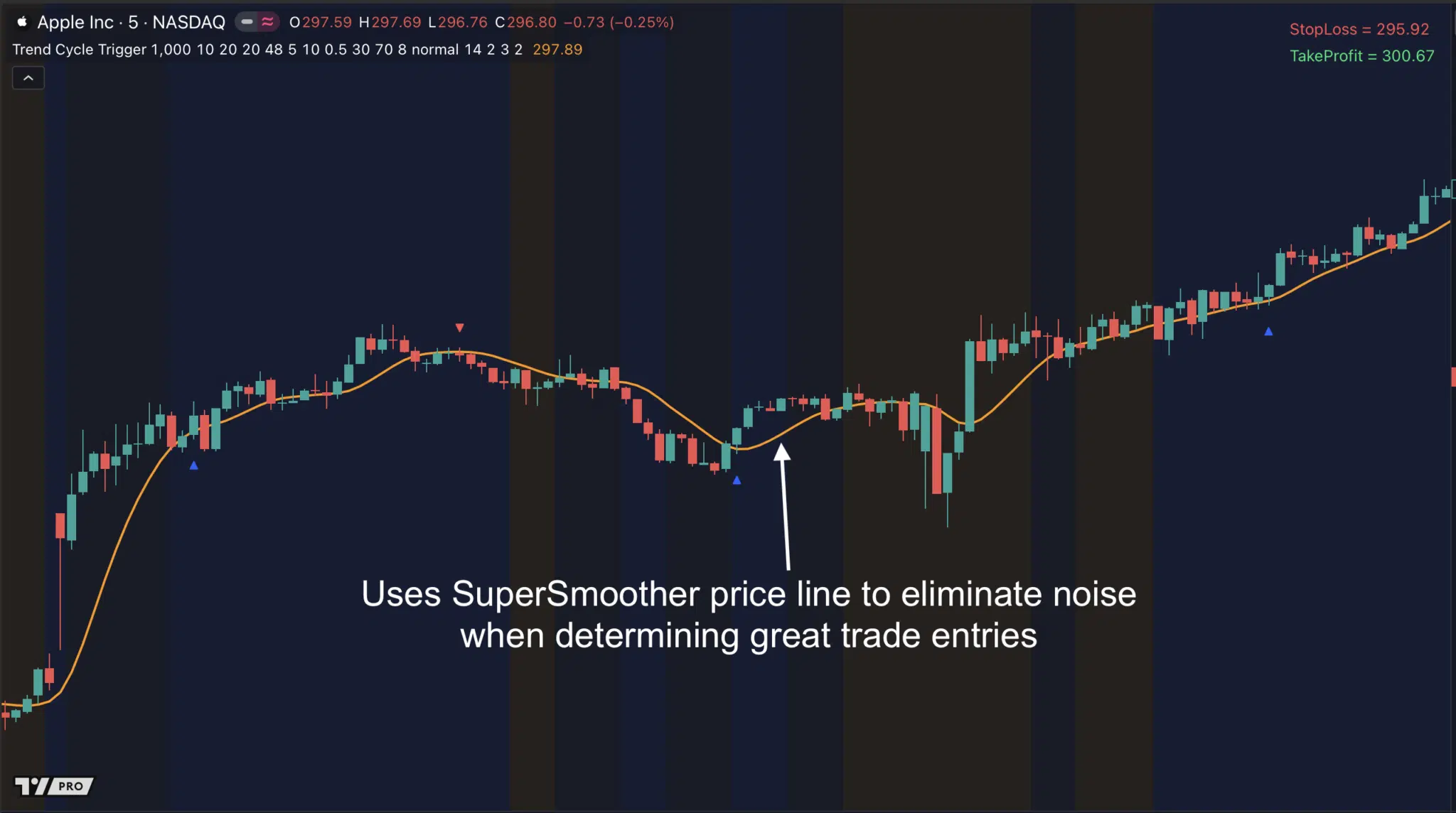
First, a SuperSmoother filter strips out the small, random wiggles in price. Unlike a regular moving average, it does this without adding much delay. So the line still reacts quickly when price really turns.
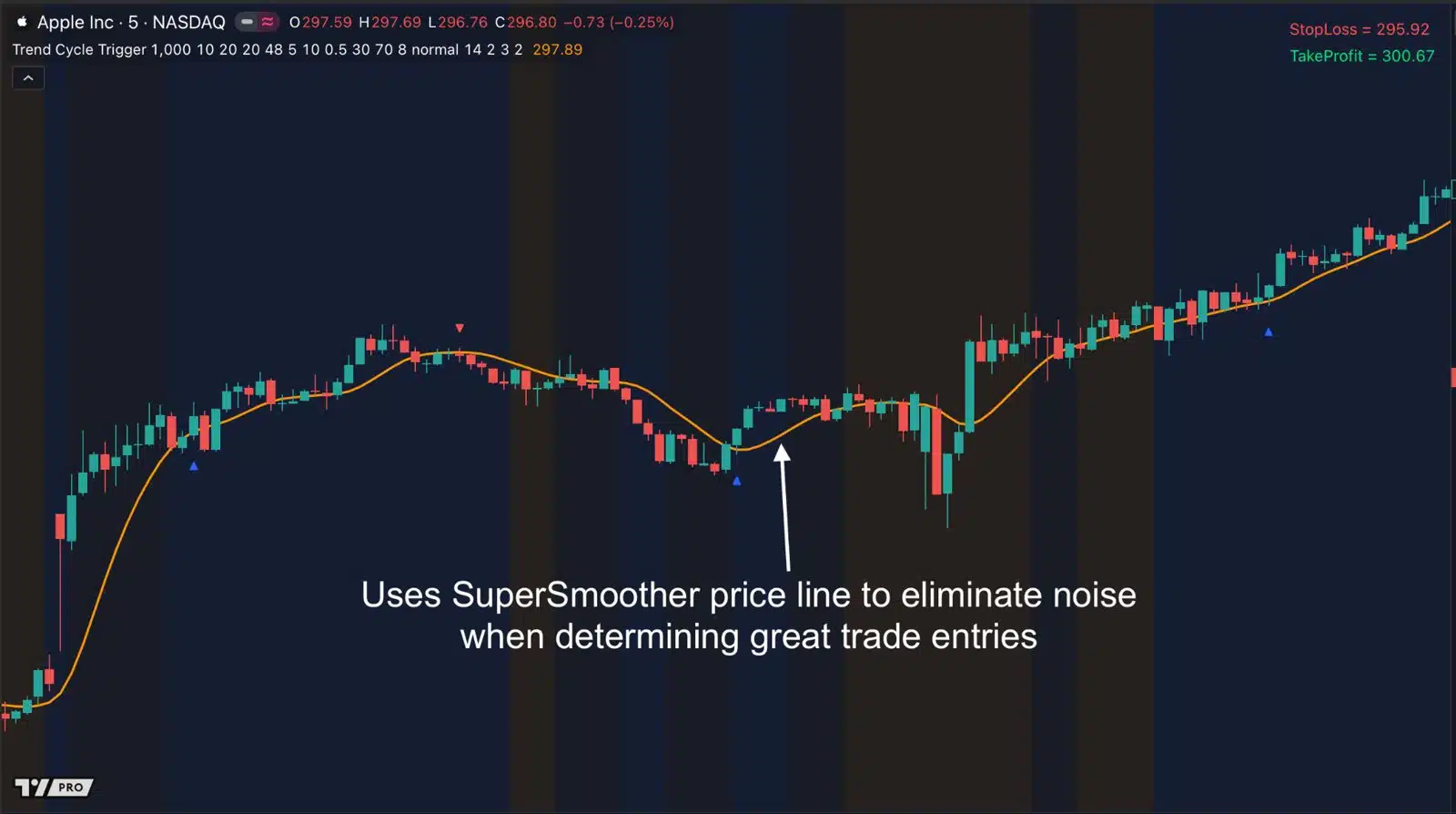
Apple, 5-minute chart: the orange SuperSmoother line filters out noise, so entries are based on real turns.
Step 2: Work out the market’s state
Next, it compares price with its own recent past, from 1 bar ago up to 48 bars ago. This is called autocorrelation. It shows whether price has a “memory”:
- Trend: price is strongly linked to the last few bars. The market is moving with intent.
- Cycle: there’s a clear repeating peak further back (10 to 48 bars). The market has a rhythm, and the indicator measures how long that rhythm is.
- Random: there’s no meaningful link. The market is noise, so signals are held back.
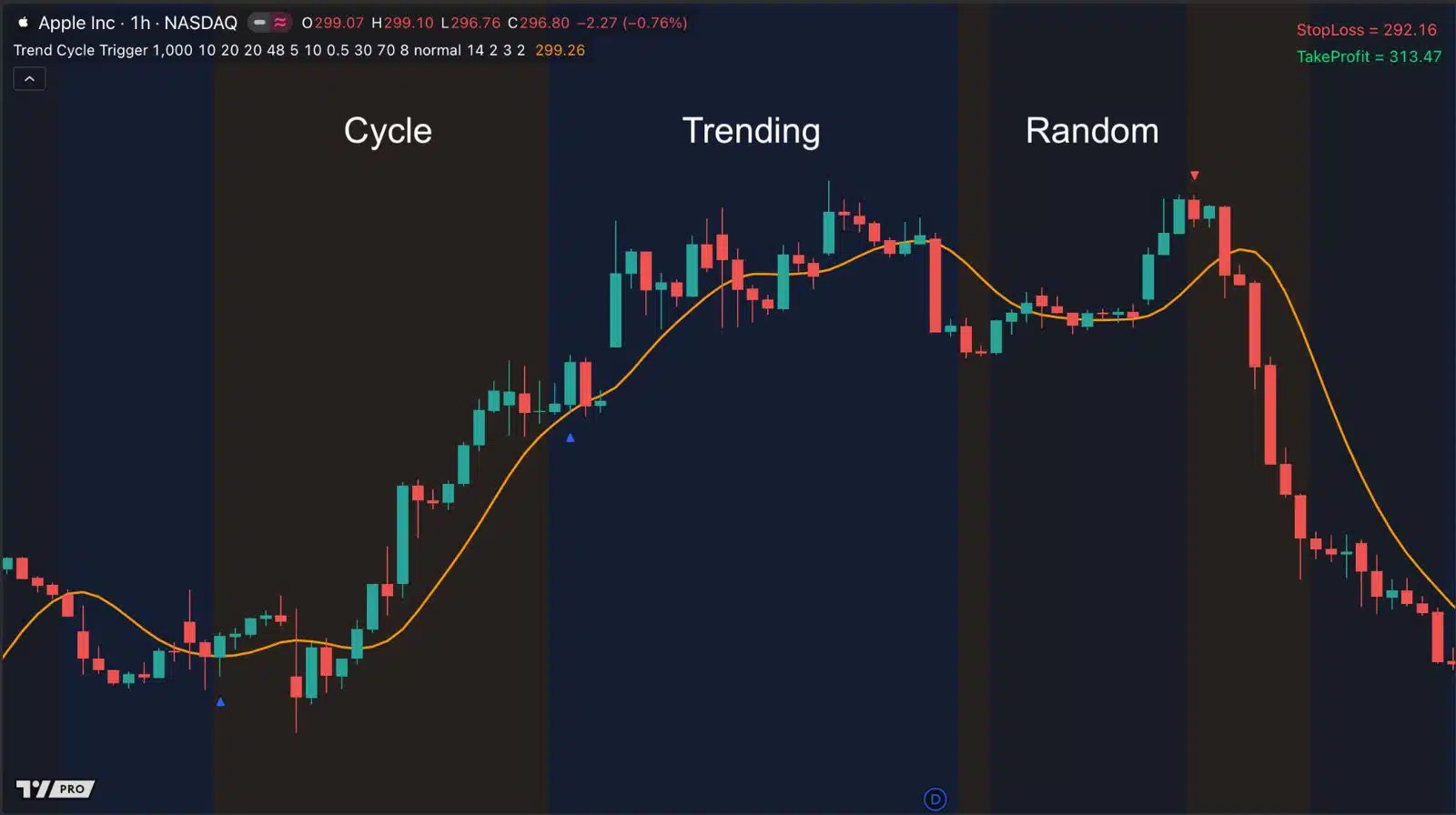
Apple, 1-hour chart: Trend Cycle Trigger labels each stretch of the market as Cycle, Trending or Random.
Step 3: Use the entry that fits
- In a trend, it looks for value: a pullback to the SuperSmoother line, then a reversal candle.
- In a cycle, it looks for exhaustion. It uses an Adaptive RSI whose length is set automatically to the cycle it found.
- In random markets, it waits.
Pro tip: the best trade is often no trade. When the market is in a Random state, price can move a lot without going anywhere. That’s where many traders, and many trading bots, lose money. Trend Cycle Trigger shows you when you’re in that state, so you can sit it out.
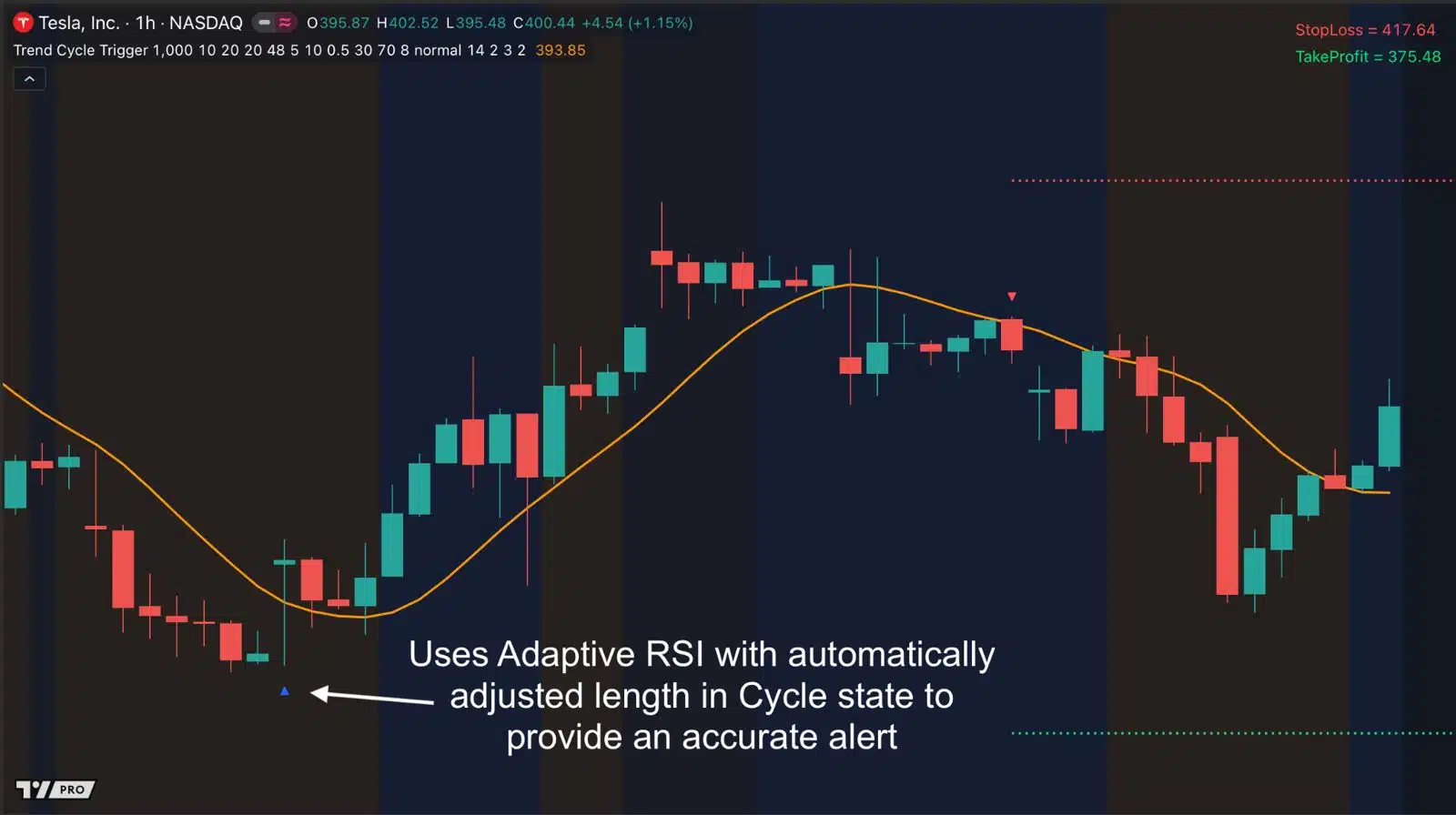
Tesla, 1-hour chart: in a Cycle state, the Adaptive RSI adjusts its length automatically and flags the turn.
How to trade with Trend Cycle Trigger
You don’t need to spot these setups yourself. The indicator marks every entry with an arrow and shows a suggested stop loss and take profit. Here are the rules behind them.
Bullish setups
- Trend state: wait for price to pull back and touch the SuperSmoother line from above. Enter on a bullish candle.
- Cycle state: enter when the Adaptive RSI crosses back above 30.
Bearish setups
- Trend state: wait for price to rally and touch the SuperSmoother line from below. Enter on a bearish candle.
- Cycle state: enter when the Adaptive RSI crosses back below 70.
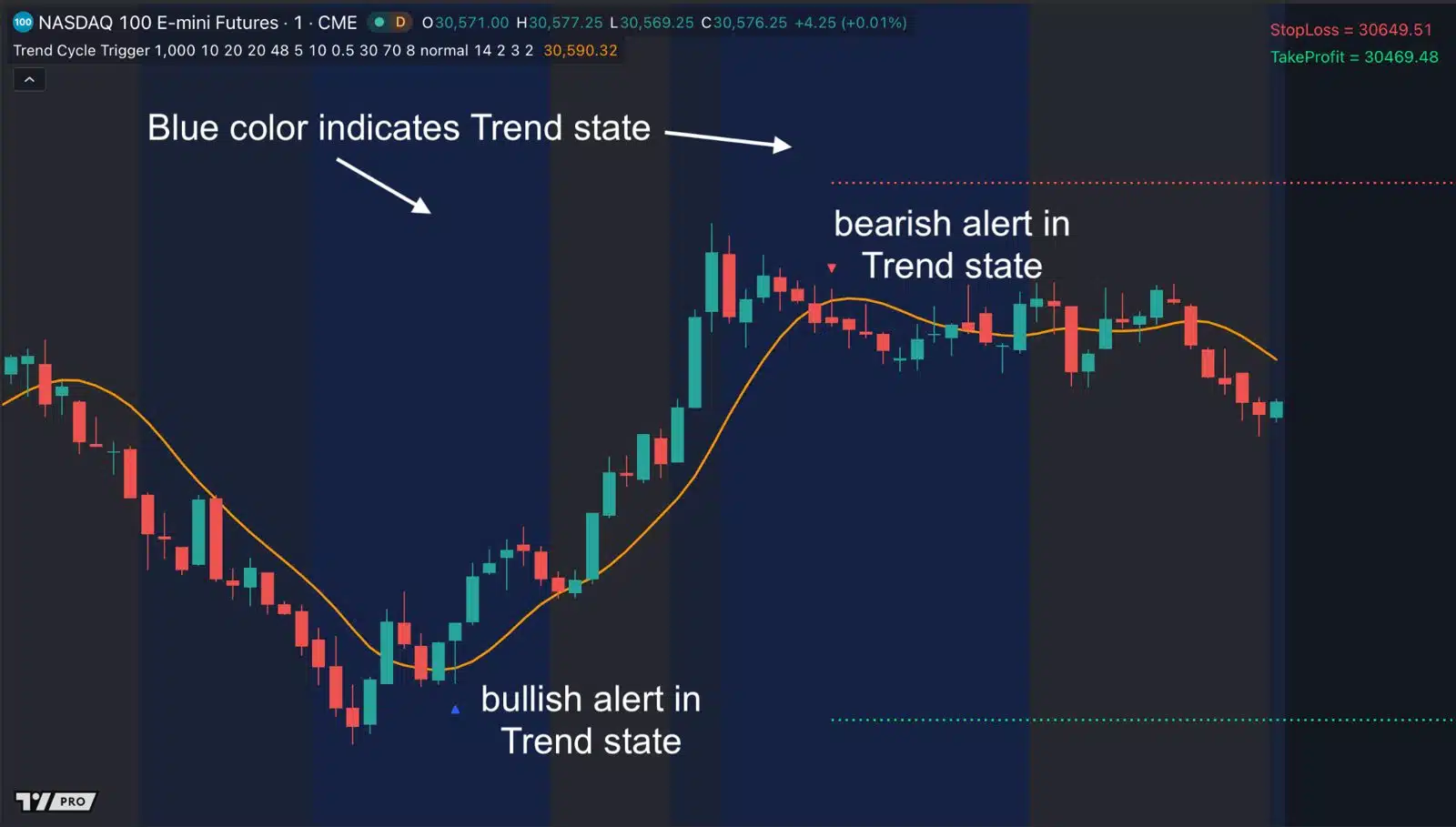
Trend state (blue background): a bullish alert at the pullback, then a bearish alert after the rally.
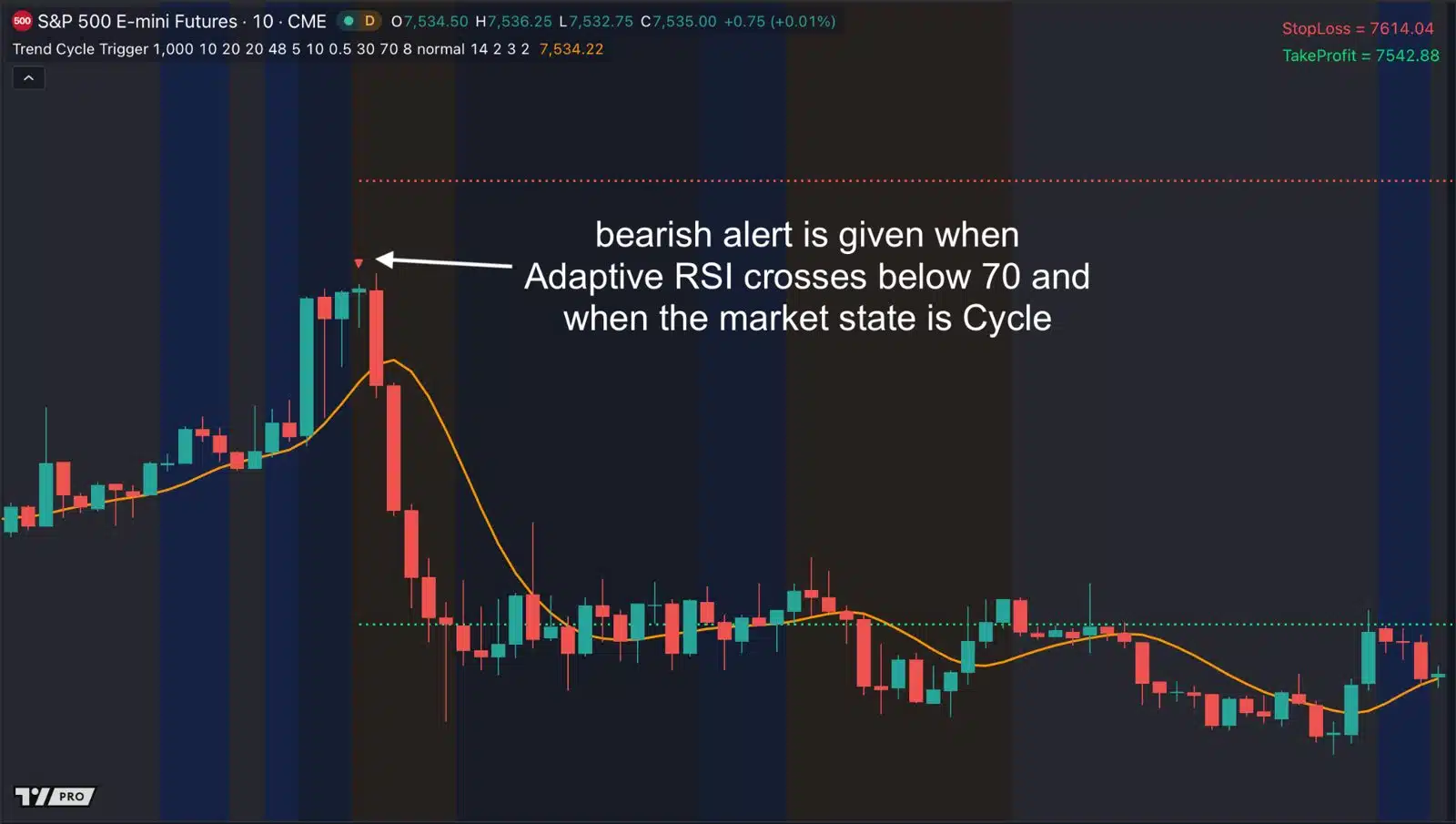
Cycle state: a bearish alert as the Adaptive RSI crosses below 70.
Why not just use RSI?
A standard RSI uses the same 14-bar setting in every market. When the market’s rhythm is faster or slower than that, RSI often never reaches 30 or 70. It stays quiet while good turns go by.
Trend Cycle Trigger’s Adaptive RSI sets its own length to match the cycle it detects. On this Bitcoin futures chart, the standard RSI at the bottom stayed between roughly 40 and 60, so it never gave a signal. Trend Cycle Trigger marked the turns.
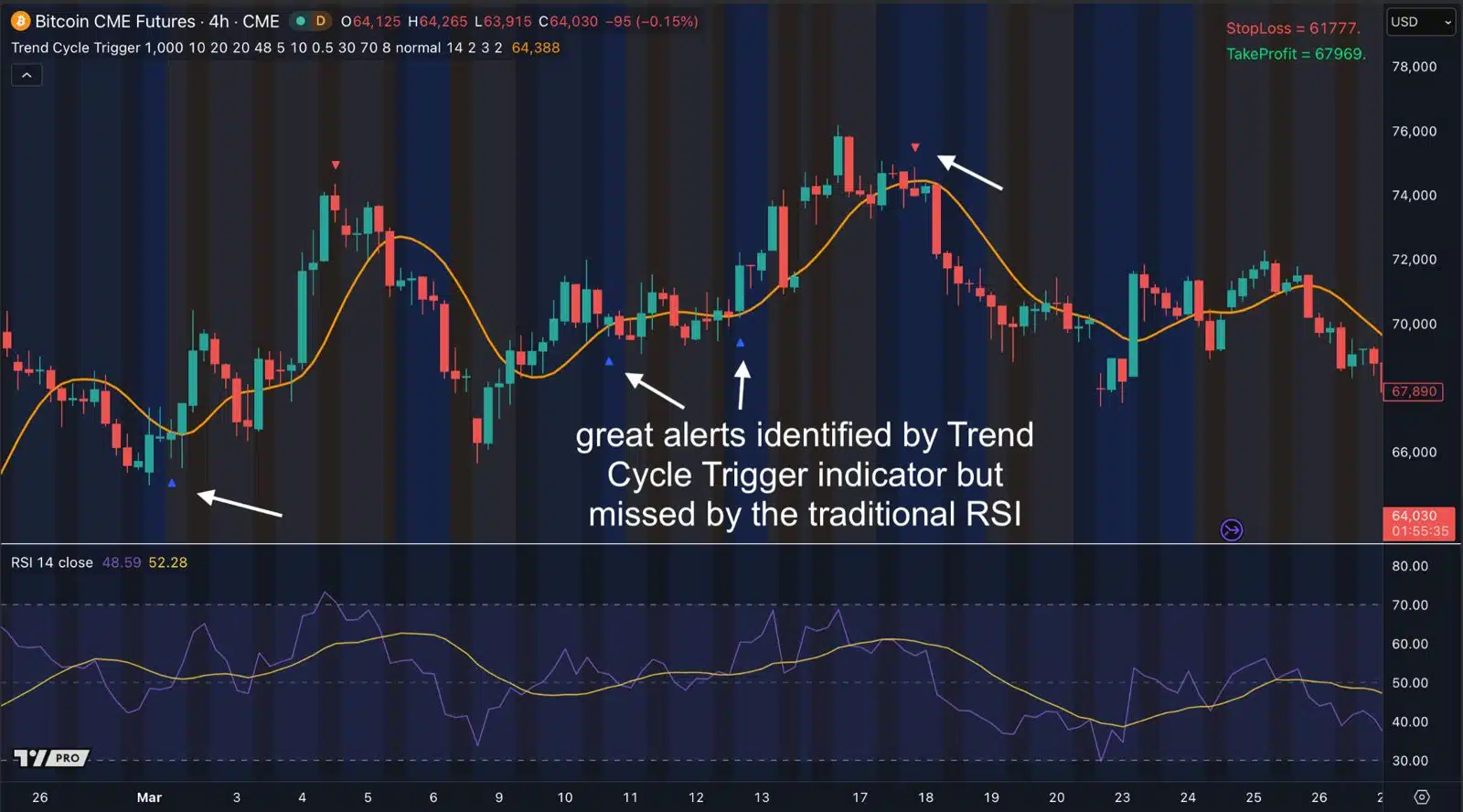
Bitcoin CME futures, 4-hour chart: Trend Cycle Trigger alerts (arrows) on turns that a standard 14-period RSI (bottom panel) didn’t flag.
Works on the markets you trade
Use it on forex, futures, stocks and crypto, from 1-minute charts to daily. Run it on several charts at once to find more setups.
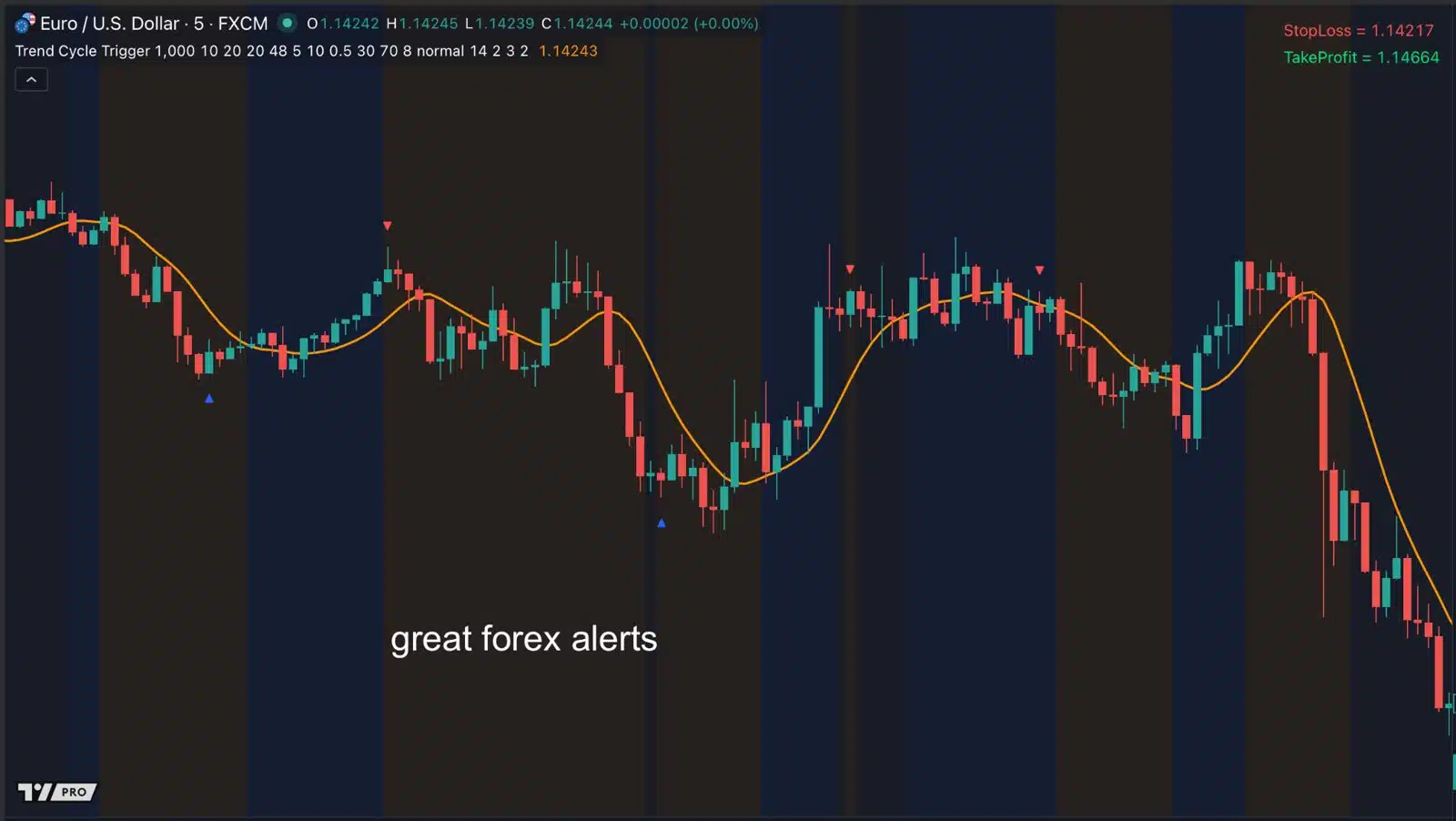
Forex: EUR/USD, 5-minute chart.
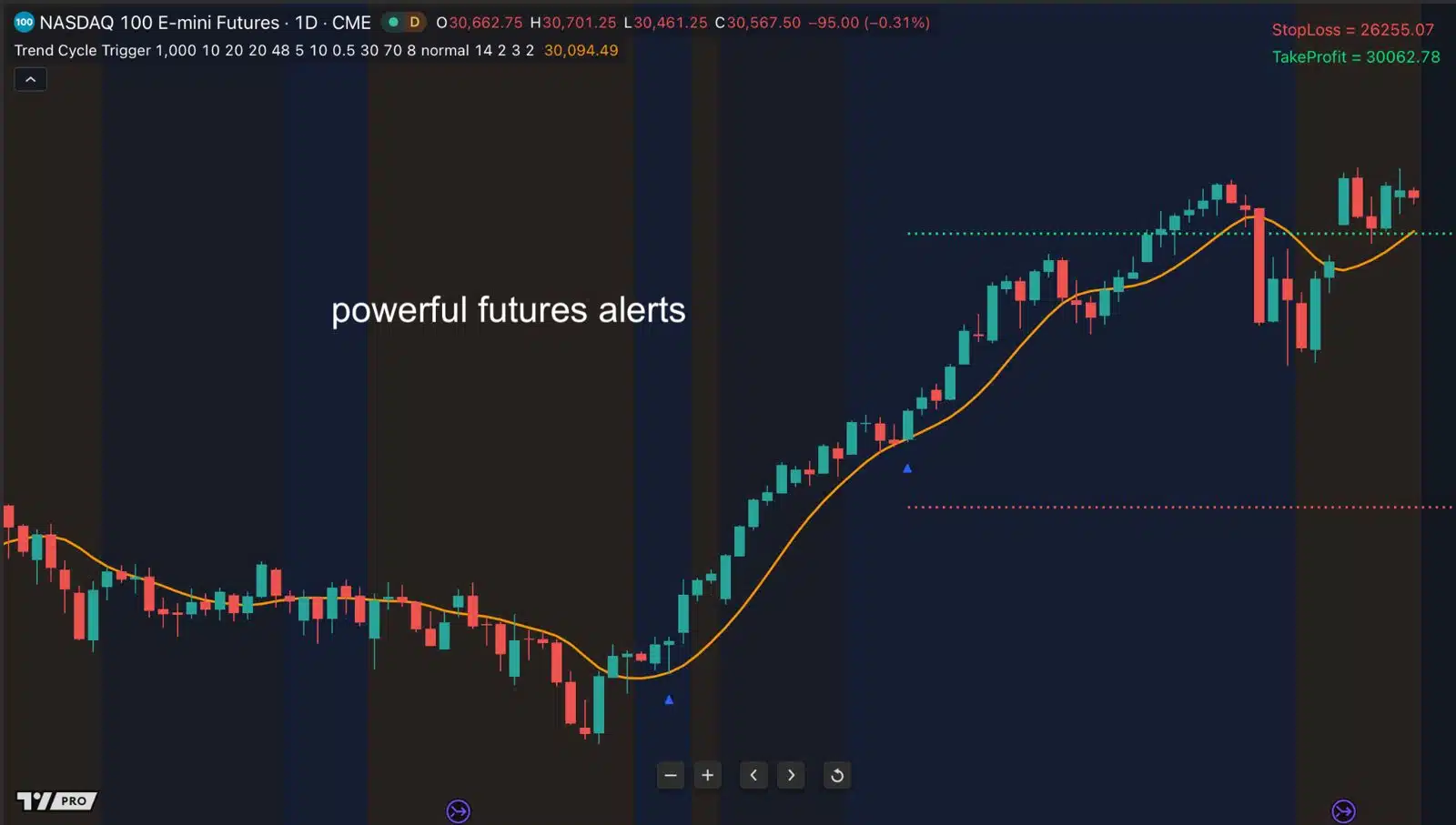
Futures: Nasdaq 100 E-mini futures, daily chart.
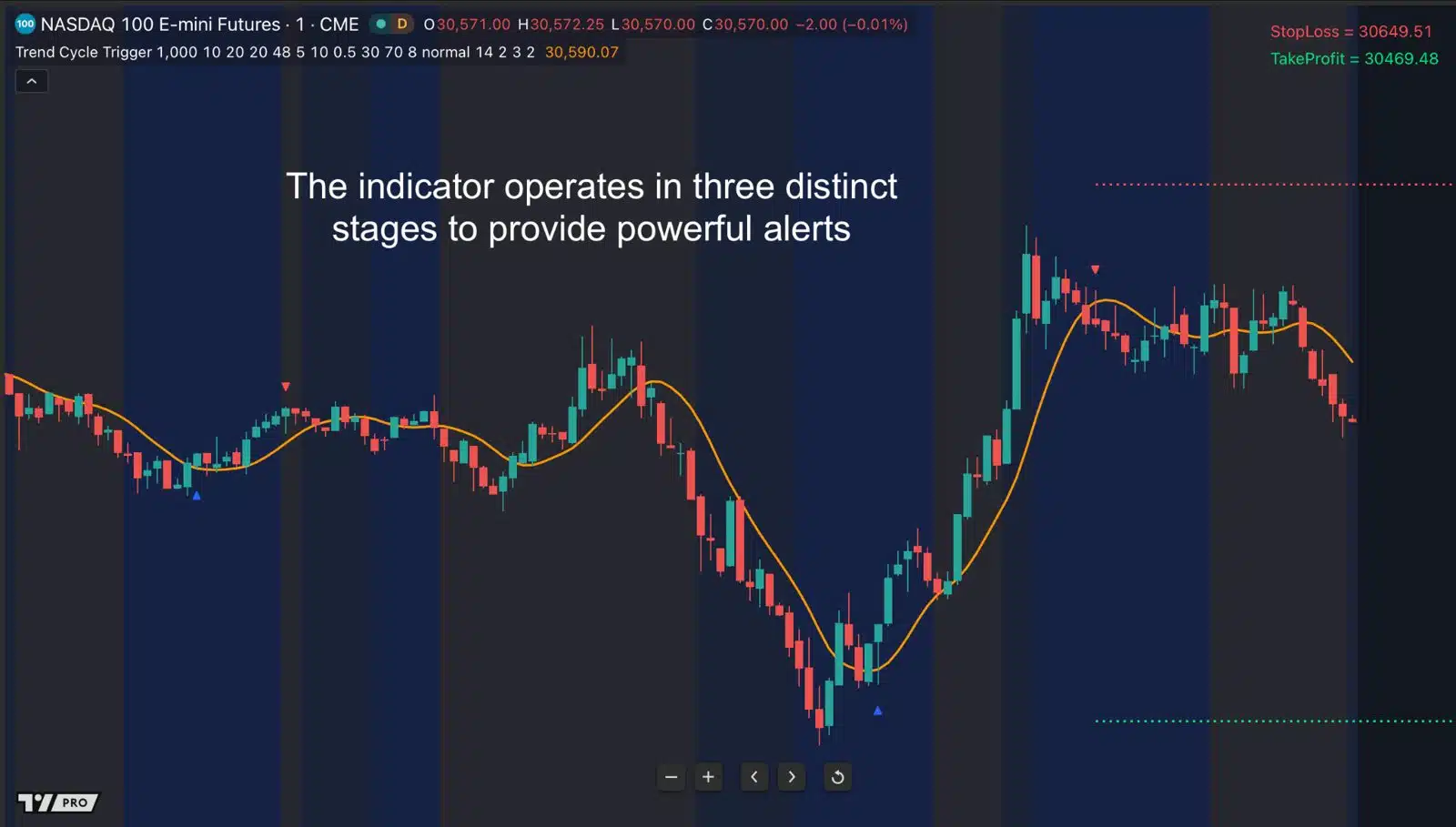
Futures: Nasdaq 100 E-mini futures, 1-minute chart: the background shows the state, and arrows mark entries.
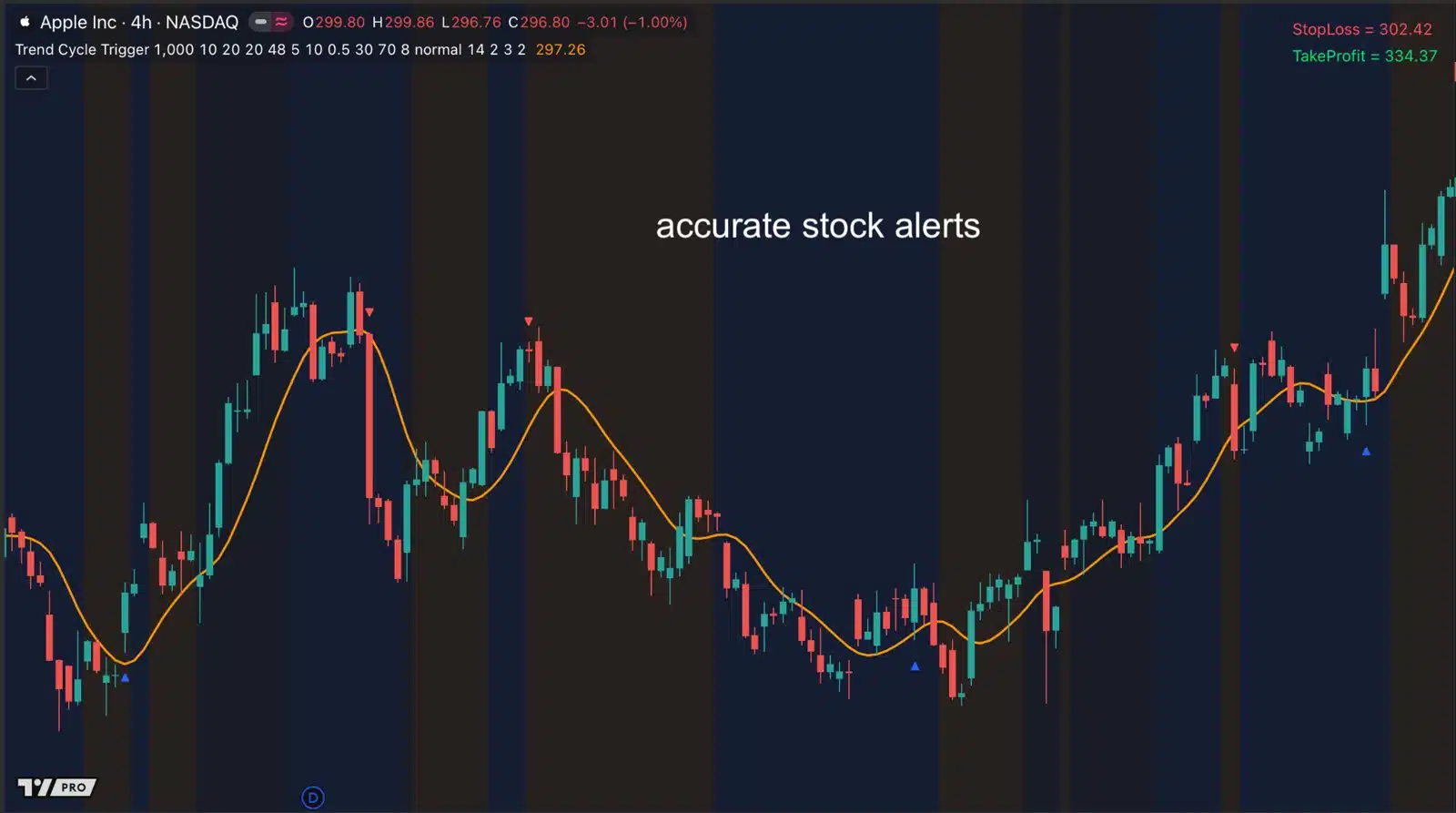
Stocks: Apple, 4-hour chart.
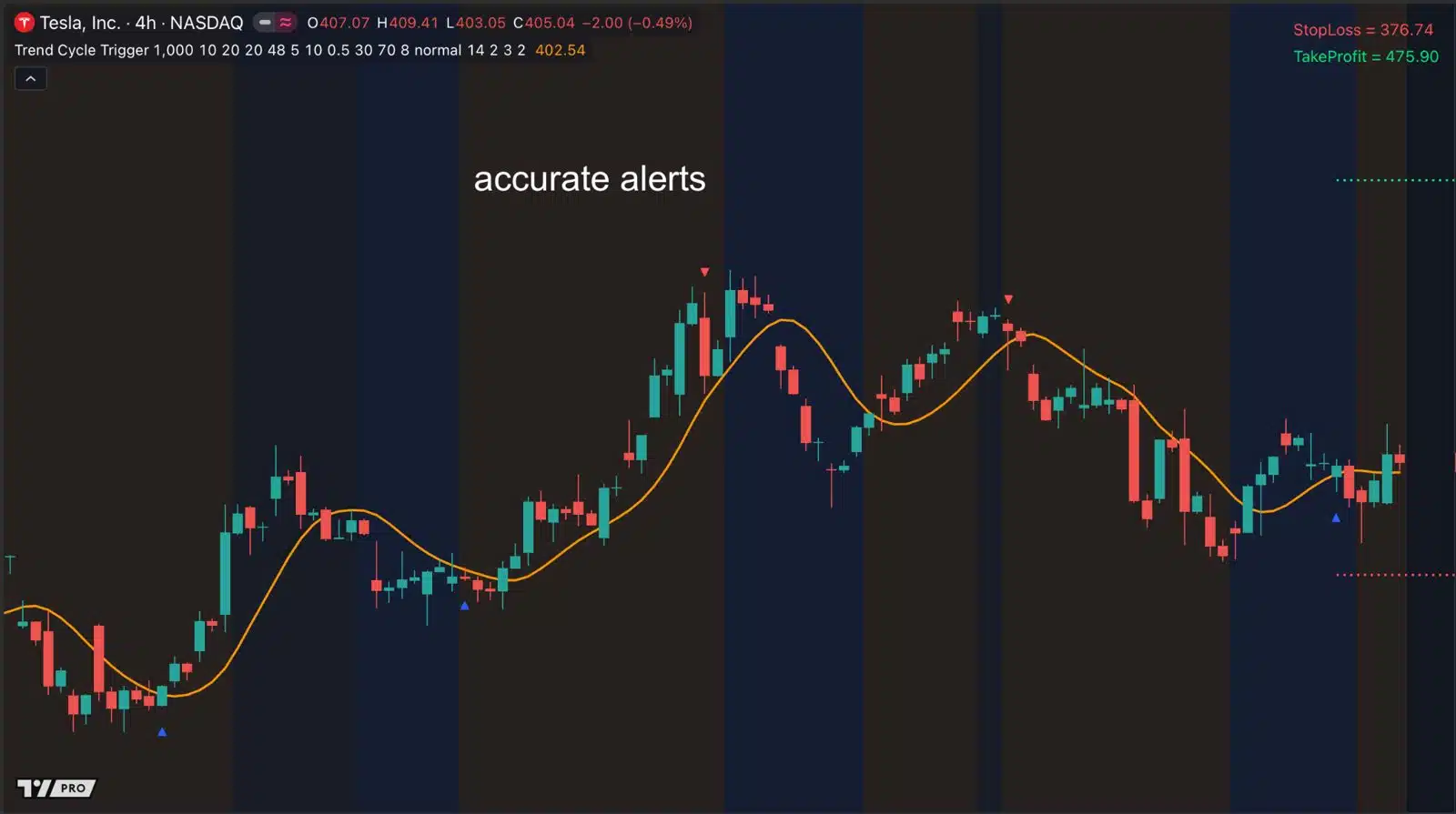
More stocks: Tesla, 4-hour chart.
See it in action: Gold futures, 1-hour chart
Everything in Trend Cycle Trigger
- Market state display: see at a glance whether the market is trending, cycling or random.
- Adaptive RSI: tunes its own length to the current cycle. No settings to fiddle with.
- SuperSmoother price line: cleaner entries with very little delay.
- Entry arrows with a suggested stop loss and take profit for every signal.
- Alerts by pop-up, push notification to your phone, and email.
- Any market, any timeframe on TradingView, on desktop and mobile.
- One-time payment, lifetime access. No subscription.
Built for day traders and swing traders who want a clear answer before every trade: is this market trending, cycling, or not worth trading?
Want every indicator? Trend Cycle Trigger is also part of TV Champ, our all-access membership. It includes our bestsellers and every new TradingView indicator we release. See what’s in TV Champ.
Questions
Which platform does it work on?
TradingView: in your browser, in the desktop app, and in the mobile app.
How do I get access after I buy?
Enter your TradingView username on the thank-you page. We grant access to that username, usually within one business day. Then open Indicators, go to Invite-only scripts, and add it to your chart.
Is this a subscription?
No. It’s a single payment for lifetime access.
Do I need to adjust the settings?
No. You can use it with the default settings. The Adaptive RSI sets its own length based on the cycle it detects.
Which markets and timeframes does it work on?
Any market and timeframe on TradingView. The examples on this page cover forex, futures, stocks and crypto, from 1-minute to daily charts.
Can I get alerts?
Yes. You can get a pop-up alert, a push notification to your phone, or an email.
Will every signal be a winner?
No indicator can promise that. Trend Cycle Trigger helps you match your entries to the market you’re in, and skip the markets that aren’t worth trading. Always use a stop loss and manage your risk.
Can I get a refund?
Because it’s a digital product, all sales are final. If you have a question before you buy, email [email protected] and we’ll help you decide whether it fits how you trade.
Trading involves substantial risk and isn’t suitable for everyone. The charts on this page show how the indicator works. They aren’t a promise of future results.