MetaTrader 5 remains a top choice for Forex traders worldwide, but consistent profitability often depends on how effectively you use MT5 indicators. In this guide, you’ll discover how to leverage powerful MT5 indicators and platform features to join the group of traders who trade with structure and confidence.
Table of Contents
1. Introduction
Choosing MetaTrader 5 for Forex trading is almost a no-brainer for both new and seasoned investors. However, long-term profitability often depends on mastering MT5 indicators and using them strategically.
This article explores how to leverage platform features alongside high-quality MT5 indicators for consistent equity growth. As a bonus, you’ll also discover exclusive tools designed to enhance your technical precision.
2. Understanding MetaTrader 5 for Currency Trading
Today, MetaTrader 5 is one of a few platforms that quickly come to mind during contemplation for Forex trading.
Developed by MetaQuotes Corp., it offers flexibility, advanced charting, and seamless integration of custom and built-in MT5 indicators.
Brokers enjoy its flexibility, among several other qualities, while retail traders are fans of its intuitive layout and powerful tools.
Above all, below are the simple but required steps to get Forex trading started on the platform:
- Consult your preferred FX trading broker to be sure it supports MT5.
- After confirmation, you can download the software from the official website on multiple devices. However, some traders prefer the broker-customized versions (available on the broker’s site).
- Open the installation file and proceed with the steps to set up the application.
- Finally, after installation, log in to your trade account with your ID and password provided by your broker, selecting its server.
Your workstation on a Windows computer should appear similar to the screenshot below:
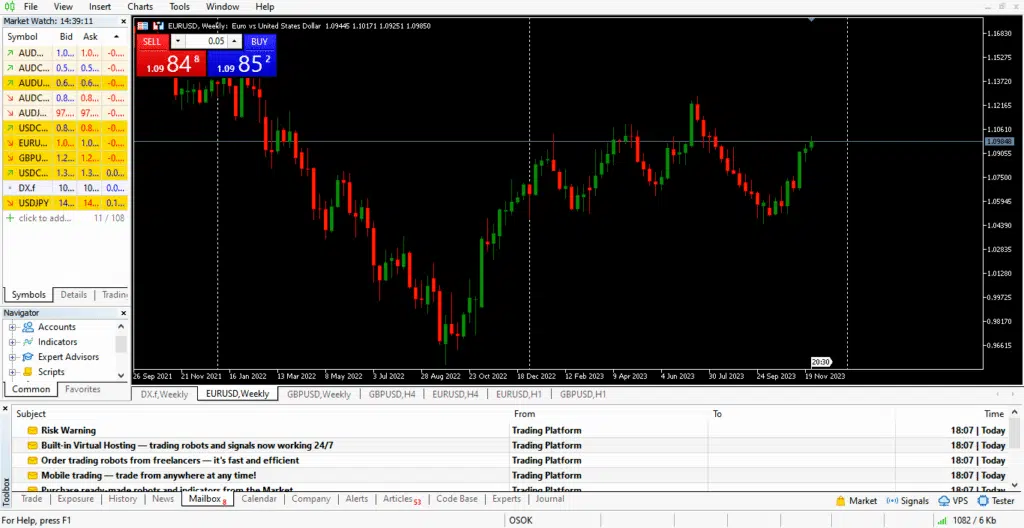
The Market Watch panel, beside the chart proper, contains a customizable list of tradable currency pairs.
Any trader can use the order placement features (from one-click buttons to the “Order” window) to open long or short positions. It is the basis of profit-making.
3. Practical Pointers for Profitable Trading with MT5 Indicators
Opening trades alone does not guarantee profits. Strategic use of platform tools and properly selected MT5 indicators significantly improves performance.
3.1 Take Profit and Stop Loss Placements
Every profitable Forex trading strategy has stringent risk management rules involving orders like take profit and stop loss. They ensure traders secure possible profits and limit potential losses.
Fortunately, MT5 supports these and more contemporary ones.
Users can decide and implement the risk management commands while opening a new order (whether market or pending).
When combined with well-calibrated MT5 indicators, risk management becomes more systematic rather than emotional.
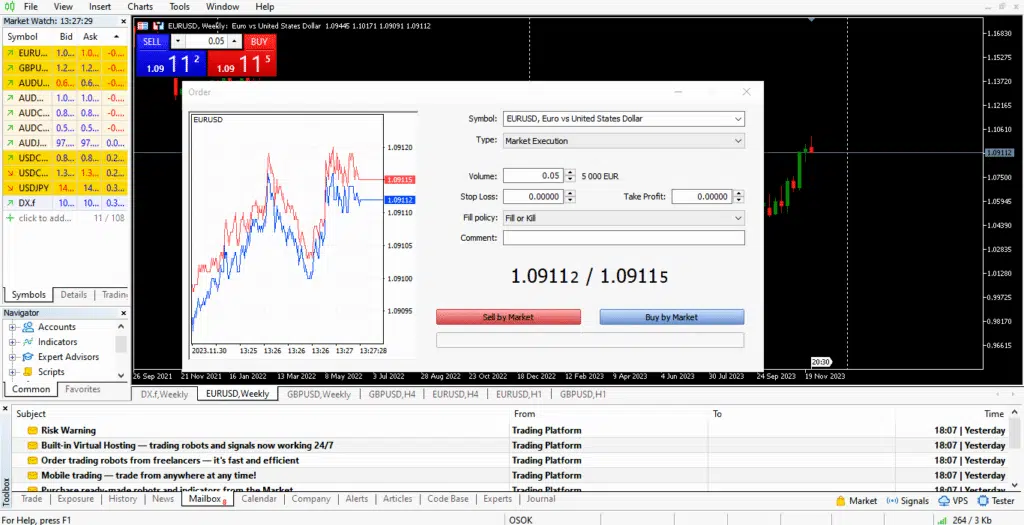
Modifying these orders is also possible through simple mouse clicks, and more advanced options like the Trailing Stop can significantly improve Forex trading results.
3.2 Multi-Timeframe Analysis
Another common practice among profitable Forex traders involves analyzing multiple timeframes of interested currency pairs.
Understanding these conditions improves overall analyses and decision-making, regardless of one’s trading style (scalping, swing trading, etc.).
A seemingly strong downtrend on a 1M chart may be a 4H-chart pullback. Similarly, top and bottom trade entries work better on lower timeframes.
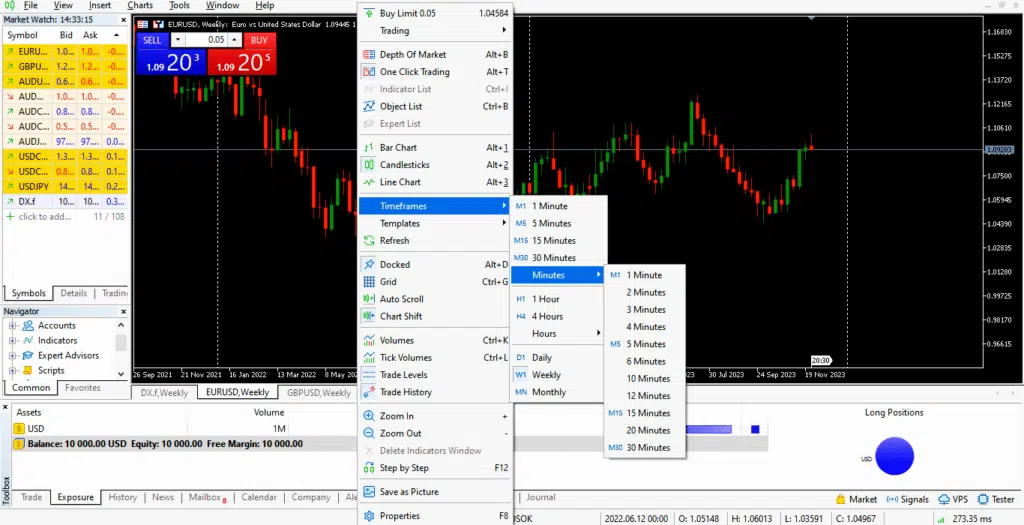
MetaTrader 5 facilitates this desire with a simple right-click on the chart area and mouse over to the “Timeframe” section.
Like every top trading software, M1, M15, H1, H4, D1, W1, and MN are available options, but MT5 further includes more minutes and hours between the standard figures. They include M2, M3, M10, H2, H3, H8, and many more.
Pairing multi-timeframe analysis with structured MT5 indicators helps confirm whether short-term pullbacks align with higher-timeframe trends.
3.3 Reports Anticipation
MT5 also provides “News” and “Calendar” sections at the bottom of the workspace, containing potential market-shaking events to expect.
In most cases, the connected brokerage firm controls the data in the tabs, which can be highly beneficial in making decisions.
Many traders combine economic awareness with technical confirmation from MT5 indicators to avoid entering trades during unpredictable volatility spikes.
By anticipating high-impact reports, Forex traders know when to sit out the markets, especially when uncertain of the possible reaction. Others prefer to strengthen their risk management strategies to avoid paying too much for getting caught on the wrong side.
These decisions are paramount to ensure profit-making.
3.4 Demo Account Practice
One commonly overlooked demand for profitable Forex trading is experience. Pros build it best from practice on demo accounts also supported on MetaTrader.
Most brokers provide demo accounts on MT5, allowing traders to test strategies and optimize MT5 indicators in simulated live conditions.
It should be similar to live conditions and improve your trading skills much better than theoretical studies.
3.5 Utilizing Indicators
Time and time again, technical analysis has proven profitability, and indicators play a massive role in the art.
MT5 includes numerous built-in MT5 indicators, ranging from the widely renowned Moving Averages to the less popular Chaikin Oscillator.
Interestingly, these and several others are available for free on MetaTrader. On an optimal device, they function seamlessly, utilizing the most recent market data for operation.
Proper selection and configuration of MT5 indicators can dramatically improve signal clarity and trade timing.
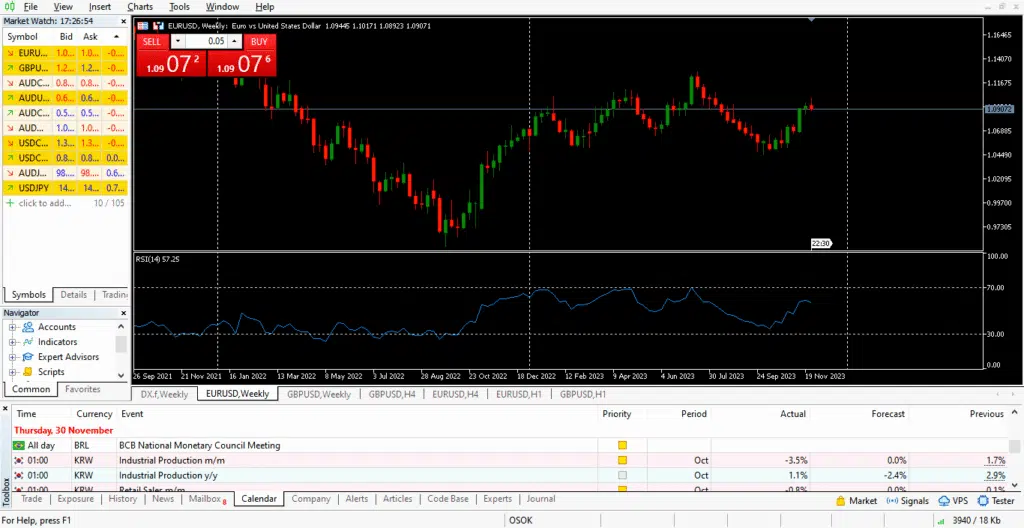
Moreover, the platform’s programming language allows easy development of custom tools. Thus, there is no limitation to its built-in technical systems.
4. Recommended MT5 Indicators for Successful Trading
The subject of profit-making in the currency market with MetaTrader is a much deeper topic. Several factors must align for this to happen and be sustained.
Fortunately, you can get a massive boost by subscribing to MT5 Masters by IndicatorVault – a premium collection of advanced MT5 indicators.
The exclusive membership gives you access to a premium collection of indicators that bolsters every trading result.
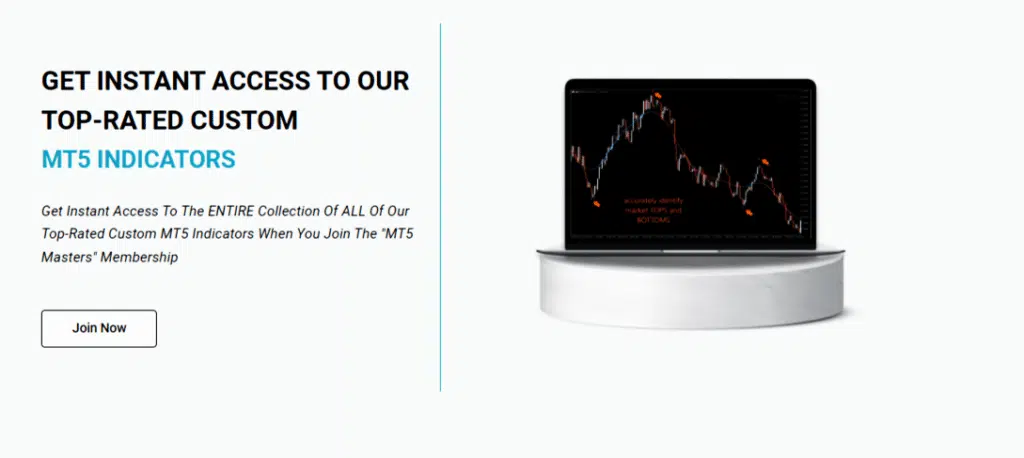
For example, the Top and Bottom Finder helps users enter trades at the earliest possible time and ride trends until the end. Market Forecaster and Order Block Edge work with other principles to reveal reversals much quicker than traditional indicators.
In short, here are the advantages subscribers already enjoy from this package:
- Unique perspectives of the Forex market, thanks to the rich collection of MT5 tools at one’s disposal
- Earlier awareness of potential trend reversals with little to no effort
- Freedom to trade across every timeframe
- Ability to explore different currency pairs, from majors to minors
Sounds unreal? Click here to join the membership now and watch your equity grow today.
5. Final Thoughts
Profit-making in Forex through MetaTrader 5 becomes significantly more achievable when traders combine platform features with structured MT5 indicators.
Additionally, subscribing to MT5 Masters gives you an upper hand in the game. You will receive an exclusive bundle of high-end indicators for improved technical analysis, culminating in profits.
Please share this article among friends, colleagues, and interested acquaintances for more enlightenment into trading profitably with MT.
Also, remember to leave any suggestions or questions in the Comment Section below for exciting convos.